Music reviews
&
helpful information about recording and mixing techniques. Posts written by professional engineers and musicians.
Learn about the inside secrets that engineers at Shine On Studio use in their sessions. Become a mixmaster and impress the world with your knowledge of audio production.
Black Lion Audio Signature Mod

Black Lion Audio Signature Mod 002r
Many clients have asked how we get such amazing audio quality and we're proud to say that it's a combination of mics, cables, and converters. At the heart of our drum and instrument recording is our modified Digi002rack. For many years, we were tracking with a Blue Face Digidesign 96 i/o on an ACCEL PCIe Core card. The recordings were good and we were very happy with the audio quality.
One day, a client came by the studio with a road case with a Digi002rack that had the Black Lion Audio Signature Mod. To be honest, I was slightly offended that a client wanted to track with the LE interface instead of our HD interface. We had a brief discussion about how each of us was impressed with the audio quality of our respectable interfaces and converters. At the end of the discussion, we decided to have a shootout with the interfaces and compare them side-by-side to hear if there was any obvious difference.
The band's drummer played a simple rock groove for about 60 seconds with a nice array of tom fills and cymbal compliments. We tracked the performance with both interfaces one after another using the same mics & cables, the only variable was the interface. We bounced the tracks down to a stereo wav file and then burned a CD with both tracks. We popped the CD into the CD player and put it on random. Then we listened to the two tracks. Instantly after listening to the first track, the second track kicked in and so did the detail. It was stunning how clear and accurate the tone and shape of the drum sounds were in track 2 over track 1. The kick had sharp punch and deep boom. The snare had crisp pop and resonating decay. The cymbals were vibrant, but not too brittle.
I was sure that track 2 was the 96 i/o. Oh the wave of shock that rippled through my mind when I saw that track 2 was the BLA mod. A system that cost 1/3 of the expensive HD system had just out shined what I thought was the holy grail of audio interfaces. Needless to say, I was able to purchase a new 002r from the local Pro Audio retailer for $300 on closeout cause they were starting to stock the new 003r units. So for less than $2,000, I was able to purchase a new 002r unit and ship it off to Black Lion Audio in Chicago for their premium Signature Mod.
Now the studio has been tracking with the BLA 002r for the past 5 years and clients have been impressed with the audio quality. It is one of those things you have to hear to believe and we're happy to invite clients to come by the studio and hear some of the recent projects we've produced.
As amazing as the BLA 002r is for instruments, it does fall just short of the new AVID HD interfaces. We picked up a OMNI interface with the HD Native Core card and the vocal tracks from this interface are impressive. With the combination of our BLA 002r and the HD OMNI, it's a perfect combination of music and vocals for any project.
Taming the bass
Bass is the big monster in your mix that fills up a whole lot of your dBFS meter on the master buss. Bass can be a troublesome foe in your mixing quest, but do not fret! Bass has one big weakness, High-Pass Filters.
High-Pass filters are mysterious to some mixing engineers, but not to us. High Pass filters can do wonders for a dense mix that has lots of different tracks. When your mix is too boomy or muddy, first try using some high pass filters on the tracks that don't necessarily need to have low bass frequencies. Rolling off the low end on vocal tracks will really help separate the vocals from the rest of the mix. This may also immediately shape up the low end of the entire mix. Go through each track and use your ears to attenuate the HP filter on each track for a more controlled bottom end to your mix. You may not even have to touch the bass track or the kick track.
Alternately, you should use Low Pass Filters on tracks that reside in the low end of the mix. Rolling off the high frequencies on the bass and kick tracks may open up more brilliance and space in your mix. It's not too complicated, but it does take a little bit of practice to get used to using filters to control the low end of a mix. Be sure that you adjust the filters with the tracks playing in the mix. If you solo the track while you adjust the filters, you may not get the tone or control that you need when the tracks are put back into the mix. Soloing has it's place, but when you're trying to get tracks to fit together in a mix, it's best to adjust them while they're in the mix.

Vocal EQ mixing secret: High & Low Pass Filters
Good vocals always need to sit perfectly in the mix. Here's some insight from Engineer David Hughes on producing and mixing vocals.
EQ can be the most elusive part of mixing. Presets are a good starting point, but 99% of the time they don't get the job done. You've got to know all the parameters of your EQ. HP & LP filters usually go overlooked when it comes to EQ. However, these can be some of the most critical tools you use. Extreme high and low frequencies can cause a lot of congestion in a mix. Take the time to use filters and roll off some of the high and low frequencies on each track in your mix. By sculpting your tracks with HP and LP filters, you will find that your tracks fit together sonically.


In addition to the filters, you can use the Maag EQ4 on your vocal tracks and get out-of-this-world results with a simple turn of the knob. The EQ4 has the "Air Band" built on the top end of the EQ and allows you to dial in the right amount of shine and shimmer in a vocal track. This allows it to open up and sit perfectly on top of the mix. At the moment, the EQ4 is only sold as a 500 series module, so you'll need to do a little investing in your studio to add this magical piece of gear. Trust me when I say that you will not be disappointed. There have been so many times when I just give the 40KHz a 3dB boost and all of a sudden the vocals come to life. And yes, I did say 40KHz. You just have to hear it to believe it. The rest of this EQ is also excellent on almost any track. The SUB knob also works as a filter and allows you to carve out any low frequencies that may get too boomy or muddy in your mix. This is the magical box!
Now in vocal tracks, there's not a lot of detail or useful information in the low frequencies. Use the filter to roll off the low end up to about 100 Hz. Don't stop there, move the curve up until you find the right amount of low end reduction to help the vocal sit in the mix. Use a gentle curve to make sure you don't get any phasing problems. A 6dB or 12dB curve will work best for this sort of filtering. A steeper curve will usually cause phase shift and this will result in the vocals going out of phase with the mix.
Be sure not to do this with the track in solo mode. You need to mix your vocal in the mix. The world is not going to hear your vocal tracks in solo mode, so don't mix them that way. You can solo the track to A/B the mix against your vocals, but ultimately you should make decisions while listening to the vocal in the mix.
Hope this is helpful in getting you going with your vocal recordings. Please leave a comment if you have a question. For more info and video tutorials on audio production, please check out my audio mixing master class on Udemy.
Seeking the perfect drum tone

Blood Party tracking at Shine On Studio
Our pursuit of bigger and better drum mixes is never-ending. There has been a lot of experimentation with acoustic sets, electronic sets, triggers, MIDI samplers, and loops. Though an eclectic combination of all the different sounds has been the best result, a pure acoustic set mic'd up is the ultimate goal. Aside from the obvious option of tracking on a Neve or SSL board, our experiments have led us to use different types of mics. Mics designed for tracking guitar amps have been very useful on toms. Using an AKG D112 on the bottom of the snare has given us some nice deep snare tones.
Mic Placement
We had a discussion last night about the struggles of finding the right sound for a particular song being tracked at the studio. The discussion led us down a path of thought that started to get us thinking more outside the box. The studio drummer, CRISPy CRUIZeR, was brainstorming a new plan to use microphones of all different types. What if the guitar amp was tracked with a mic designed for the kick drum? Would a D112 give us the bottom end that we're seeking? This got us thinking even more about using some of the gear in different ways. Maybe it's time to dust off the MiniDisc recorder and the DAT machine. What if the compression ratios of these digital machines gives us that little extra punch that the drums need to sit bigger in the mix? These are questions that get us intrigued and in this business, strange and unusual is typically the most fascinating.
GoPro & Shine On

My #AmazingWife bought me a #GoPro camera for the studio. A bunch of the new photos were taken with the new camera. This little camera is fascinating. The ease of use and the simplicity of it are genius. The photo quality is down right impressive. I'm working on some short videos that I'll post on the site very soon. Just an FYI to bring your A-game to the studio cause we'll probably shoot some GoPro video for your next music video.

October Scary Deals
October is a month full of scary inspiration. As we prepare to celebrate the most horror-filled night of the year, Shine On Studio is offering deals that would raise the dead. From now until Halloween, many studio services will be discounted.
Check us out on THUMBTACK.com
Shine On Studio is growing and expanding. We've been reviewed on thumbtack.com and clients are raving about our studio. Check out our page and reviews.


AVID HD OMNI
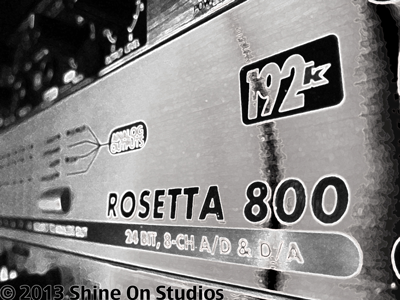
APOGEE ROSETTA 800 w/ XHD option
Shine On Studios is proud to announce the addition of the AVID HD OMNI system to our studio. This top-of-the-line HD interface for Pro Tools HD offers pristine A/D & D/A conversion with two high-end mic pre-amps. Paired with our Apogee Rosetta i/o, we now offer 8 additional channels of HD recording!
The studio is sounding better than ever. Tracks are clean and punchy! The clarity is amazing and Pro Tools 10HD offers our engineers so many ways to enhance and mix tracks. Everything from Elastic Audio to extremely low latency, gives every track produced at the studio that professional touch that makes them shine!